
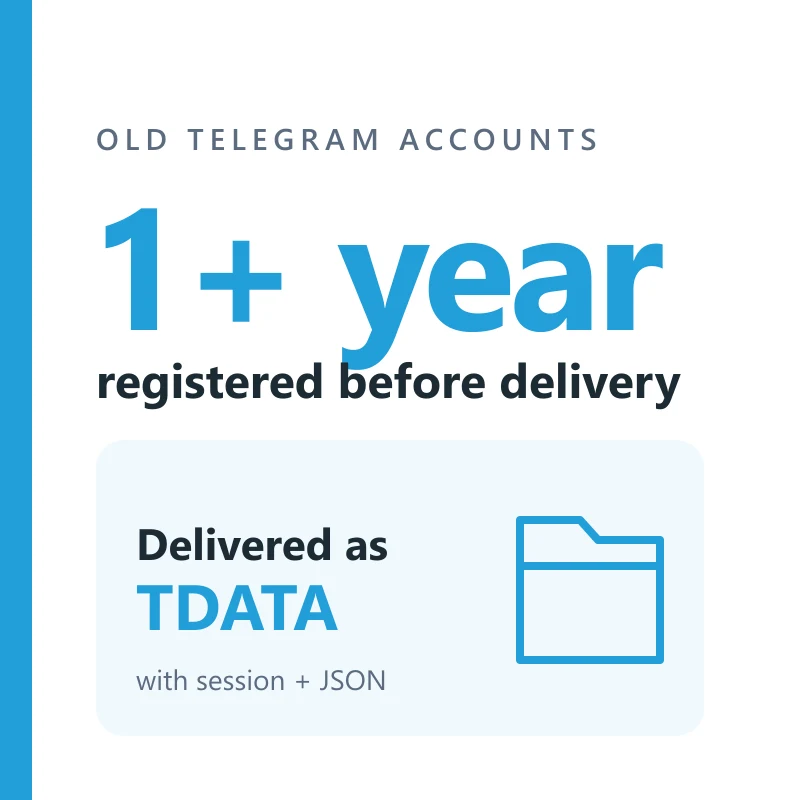
Buy Old Telegram Accounts
5000 in stock
A Telegram user account registered at least one year before delivery, with the year stated by its batch, delivered as a TDATA folder with a session and JSON. Cloud password set on most batches. Replaced within 24 hours if it does not open as delivered.
Delivery format: tdata/ + <number>.session + <number>.json
Each account arrives as a download on your order page. File names, and whether the password sits in the JSON or a text file, vary by batch; the table further down explains each piece.
Put the tdata folder into a copy of Telegram Desktop, or load the .session with its .json in your own tool, and type the cloud password from the delivery when Telegram asks for it.
What makes an account "old" here
An account fills this listing only if its batch names a registration year at least a full year before the day it reaches you. Batches in stock now were registered between 2022 and 2024. Batches that give their age in days, or name no year, are left out, so a number activated last month cannot slip in under the word "aged".
- Every account was registered at least one year before delivery
- Each one arrives as a TDATA folder together with a session and JSON
- Most batches have a cloud password set; one older batch does not say so
- The phone number's country comes with the batch and cannot be chosen
Where the year comes from
Telegram shows no join date inside the app, so the year is the batch's own statement. When a batch says 2023 to 2024, the listing counts it as 2024, so even its newest account is past the one-year line.
Age does not shield an account
Telegram has never said that older numbers are treated more gently. An old account can be limited or asked to log in again like any other. The date is what you buy; nothing on top of it is promised.
You get a user account, not a channel
Searches for old Telegram often mean an old channel with subscribers. That is not what this listing sells. Each item is a personal account tied to a phone number: it can message, join groups and create channels of its own, but it arrives with no channel, no group and no audience attached.
- No channel, group, subscribers or members are included
- Contacts, chats and profile details are whatever the batch left, and are not promised
- The account can create its own channels and groups once you are in
- Each order is filled from one batch, so its accounts share one description
Why the account and not the channel
A channel belongs to an account. Owning an old account gives you a long-registered identity to run your own channel from; it does not hand you anyone else's readers.
Use it within Telegram's rules
An old registration does not loosen any limit. No mass messaging, no bulk invites, no automated adding to groups, from this account or any other.
An old account next to an old channel
The two are easy to mix up in a search. This is what separates them, so you know which one you are looking for.
| Point | Old account (this listing) | Old channel |
|---|---|---|
| What it is | A personal profile tied to one phone number | A broadcast page owned by an account |
| What "old" measures | When the phone number was registered | When the channel was created |
| How it reaches you | A TDATA folder with a session and JSON | Ownership moved from one account to another |
| Audience | None included | Its subscribers |
This site sells accounts only. Channels are described here so the difference is clear, not because they are on sale.
What is in the archive
One archive per account, or one for the whole order with a folder per number. Go by what each piece is, not by its file name, which differs between batches.
| Piece | How to spot it | What it is for |
|---|---|---|
| tdata folder | A folder named tdata holding many small files with random names | Opening the account in Telegram Desktop, already signed in |
| .session and .json | Two files named after the phone number, one ending .session and one .json | Signing in from tools that read session files; the .json describes the account |
| Cloud password | A short line labelled 2FA or password, inside the .json or a .txt file | Telegram asks for it when the account signs in on a new device |
Not every batch names its files the same way. What the listing promises is stated in its own copy; anything more is extra.
Common problems and what to do
Most first-open problems come from where the folder was placed or an out-of-date Desktop app, not from the account. The 24-hour replacement window covers accounts that do not work as delivered.
| What you see | What to do |
|---|---|
| Desktop opens on the phone number screen instead of the chats | Close Desktop fully, replace its whole tdata folder with the delivered one, update the app, and open it again. |
| Telegram rejects the cloud password | Copy it again exactly, with no spaces, and check letter case. If it is still rejected, report it from the order page. |
| The account is logged out or banned on arrival | Report it from the order page within 24 hours of delivery, with a screenshot, for a replacement. |
Replacements are for accounts that do not work as delivered, reported from the order page within 24 hours of delivery. Restrictions that follow later use are outside that window.
Check each account on arrival
This listing carries a 24-hour replacement window. These checks take a few minutes per account.
- Download the archive from your order page and keep an untouched copy before you open anything.
- Open the tdata folder in a separate copy of Telegram Desktop, so your own account stays where it is.
- When Telegram asks for the cloud password, take it from the delivery, usually the JSON or a text file beside it.
- Open Settings, then Devices, and note which sessions are active before you change anything.
- If the account does not open with the files as delivered, report it from the order page while the window is open.
Frequently asked questions
- How can I check the registration year myself?
- Telegram does not show it in the app, so the year is the one the batch states, and it is always at least a year before delivery. Recent batches have been 2022 to 2024 registrations.
- Can I pick the country of the number?
- No. The listing is filled by age from whichever batch with TDATA is in stock, and recent batches have carried numbers from Asia, Africa, Latin America and +1. It can change between orders.
- Does the account come with a channel or subscribers?
- No. It is a user account with no channel, group or audience attached. You can create your own channel from it once you are signed in.
- Does every account have a cloud password?
- Most do: nearly every batch says 2FA enabled, and the password is in the delivery. If yours has none, set one in Settings, Privacy and Security, Two-Step Verification.
Recommended products
Telegram Accounts
TDATA + SESSION + JSON | 2FA | Free Spam | 7+ Days
$1.85/ account
Seller 4.2
Telegram Accounts
TDATA + SESSION + JSON + 2FA | 90 Days
$3.32/ account
Seller 4.6
Telegram Accounts
TDATA + SESSION + JSON + 2FA | Free Spam
$2.12/ account
Seller 4.2
Telegram Accounts
Aged 3-12 Months | 2FA Available | TDATA + SESSION + JSON
$1.18/ account
Seller 4.0
Telegram Accounts
+91 INDIA.TDATA + SESSION+ JSON.2FA. FREE SPAM
$1.44/ account
Seller 4.2
Telegram Accounts
+95 MYANMAR 2FA. TDATA + SESSION + JSON. FREE SPAM. 7-360 DAYS
$1.26/ account
Seller 4.2Recent reviews
- ★★★★★10/16/2026
Fast delivery and worked as described.
- ★★★★★10/14/2026
Smooth checkout, account credentials arrived quickly.
- ★★★★★10/18/2026
Good quality account, no issues so far.
- ★★★★★10/17/2026
Exactly what I needed for my project.